From repo to server
in four taps

Add your server, point to a Git repo, deploy with one tap. When things go wrong, AI resolves it for you.

1

Add your server

Connect to any Linux server in seconds

a

Enter connection details

Server name, IP address, username, and your SSH password or private key.

b

Test the connection

GoDeploy connects over SSH, checks the OS, and installs git if it's missing.

Ready to deploy

Your server appears in the list with a green status dot. Credentials are stored securely in the iOS Keychain.
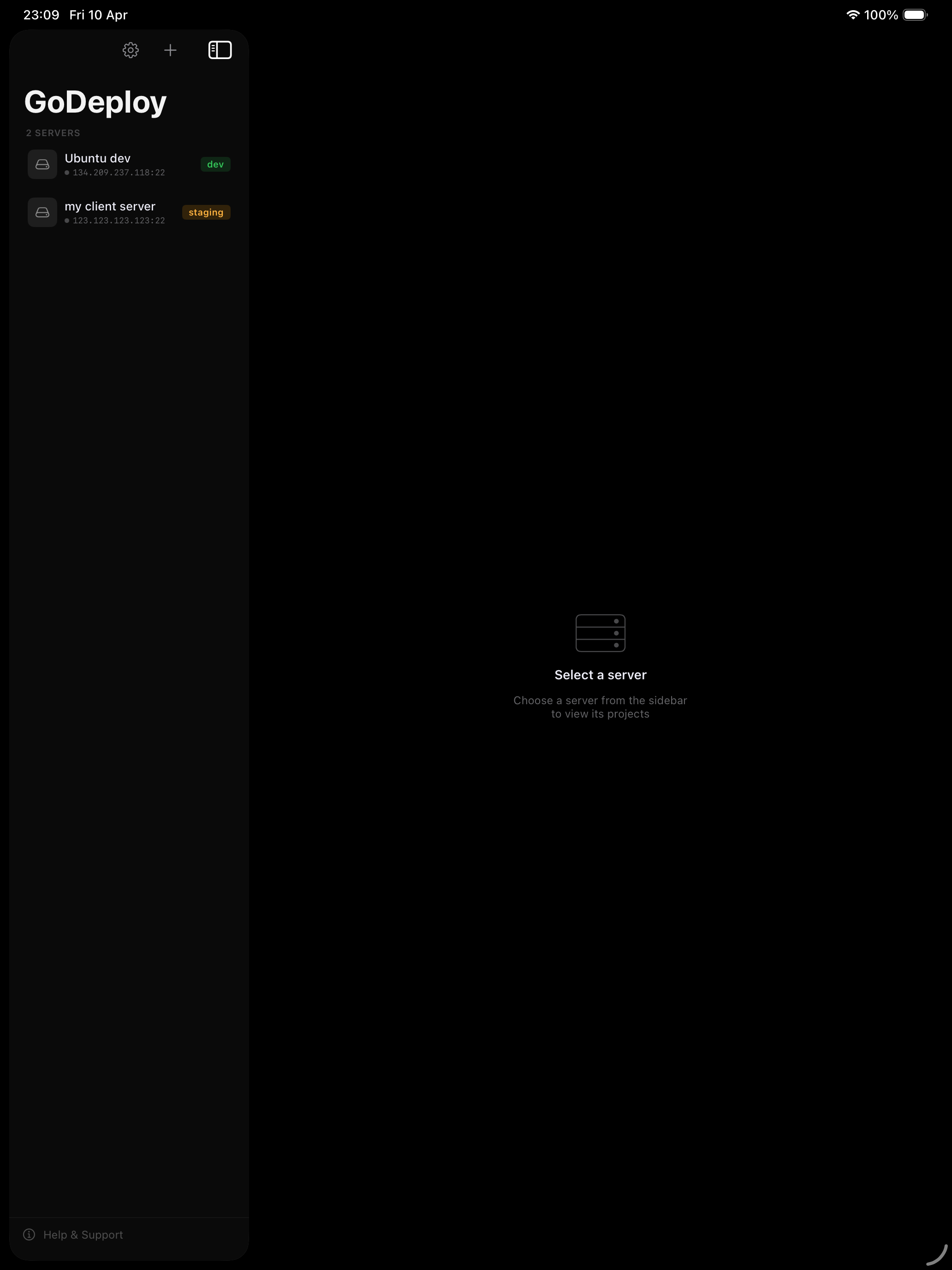
Server list on iPad showing connected servers with status dots
2

Add a project

Point to your GitHub or Bitbucket repository

a

Enter repository URL

Paste your repo URL from GitHub or Bitbucket. Pick the branch to deploy.

b

Choose deploy path

Browse your server's filesystem to pick where the code should live. Quick-access shortcuts for common paths.

c

Add post-deploy commands

Optional commands that run after every deploy — like composer install or npm run build.

Project ready

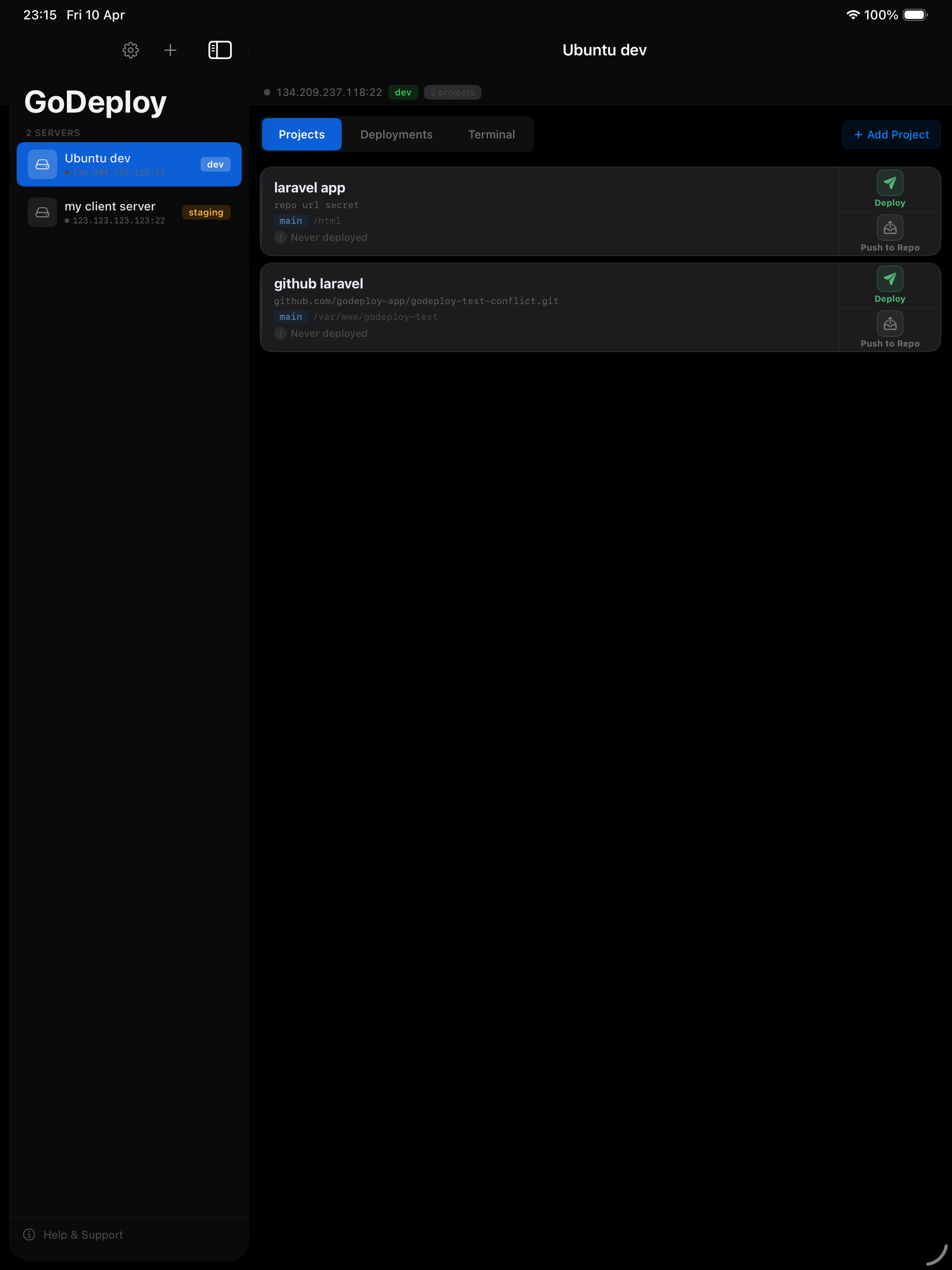
Your project appears on the server's Projects tab with a Deploy button.

Projects tab on iPad showing project cards with deploy buttons
3

Tap Deploy

Your code is on the server in seconds

1

Connect to server

GoDeploy authenticates over SSH using your stored credentials.

2

Prepare server

Checks git is installed and deploy keys are configured for private repos.

3

Pull latest code

Runs git clone (first deploy) or git pull (subsequent deploys) on your chosen branch.

4

Run post-deploy commands

Executes your commands in order — install dependencies, build assets, clear caches.

Deploy complete

Your code is live. Full log available to review every step.

Successful deployment with all five steps completed
4

When things go wrong

AI detects the problem and gives you the right fix

Merge Conflict

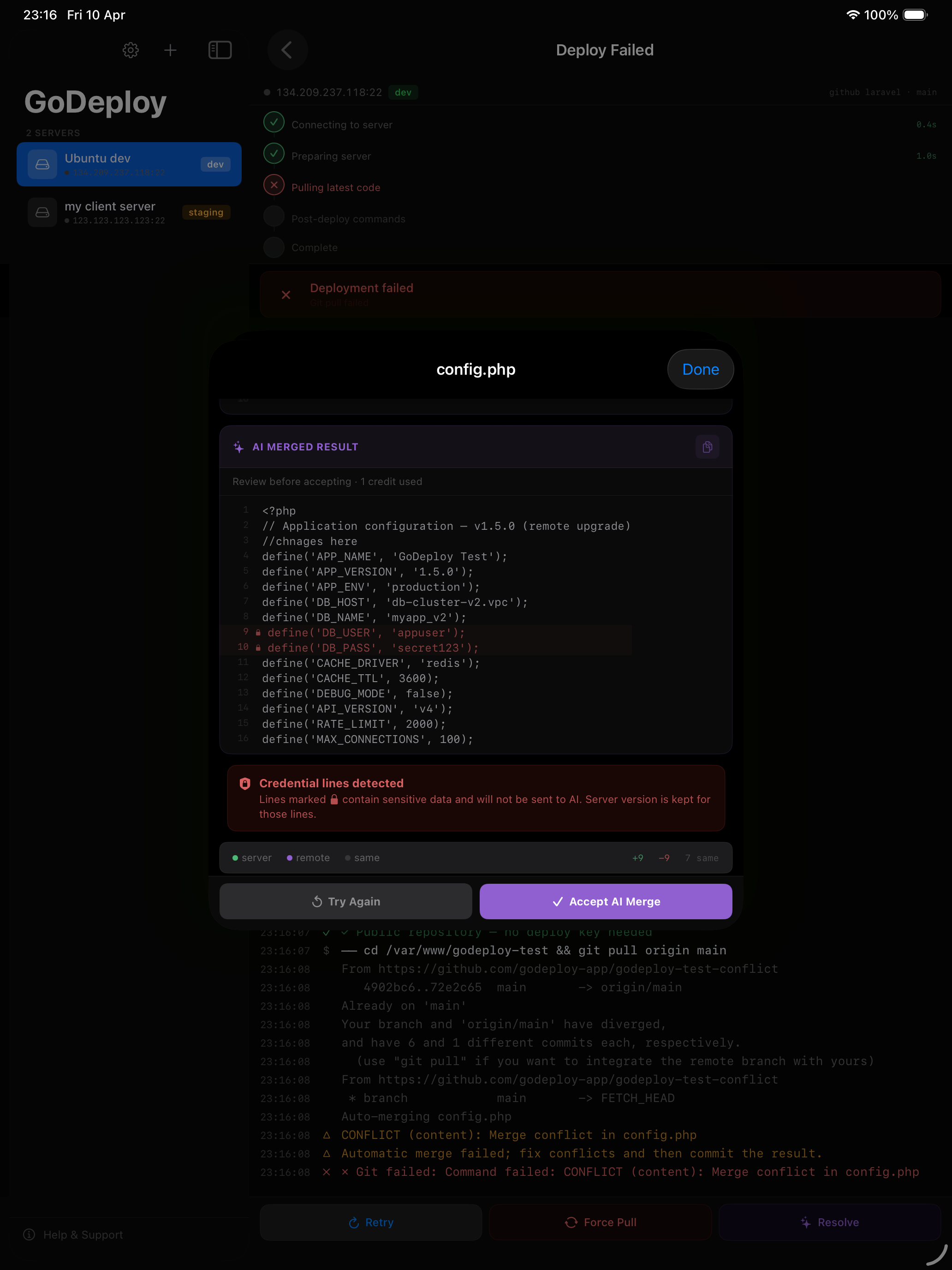
Someone edited files on the server while the repo has new commits. GoDeploy shows you which files changed on each side. Choose per file: keep the server version, accept the remote version, or let AI merge both intelligently. Credential lines and files like .env are stripped before anything reaches AI.

🔒

Permission Error

The deploy user can't write to the target directory. AI diagnoses the exact issue and gives you the fix command to copy and paste into the built-in terminal.

📦

Missing Package

A post-deploy command failed because a package is missing. AI identifies which package, which package manager to use, and gives you the install command.

🔑

Auth Failure

The server can't access the repository. AI checks whether the deploy key is missing, not registered with the right repo, or registered without write access — and tells you exactly how to fix it.

1

Deploy fails with a conflict

GoDeploy detects "divergent branches" and shows the Resolve button.

2

See what changed on each side

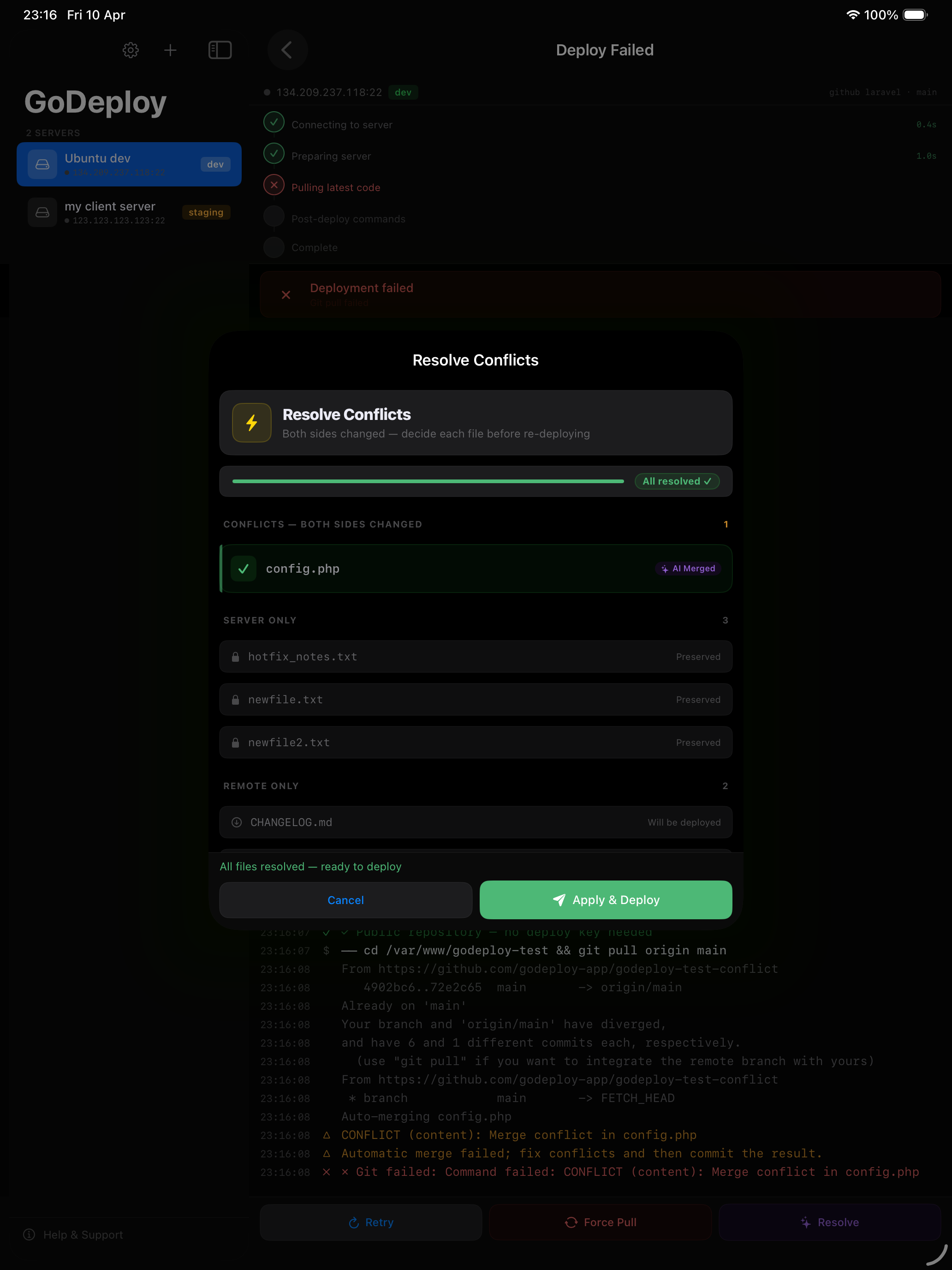
Every file is categorised: server only, remote only, or both sides changed. You see exactly what's different.

3

Choose per file or let AI merge

Keep the server version, accept the remote, or tap AI Merge — it combines both versions intelligently, preserving your server hotfixes alongside new features.

Apply & redeploy

One tap applies all resolutions, commits the merge, and redeploys. Done.

AI merge showing server version, remote version, and merged result

Push to Repo

Server changes go back to your Git repository

1

Drift detected

GoDeploy runs git status on your server and spots files that were changed directly — hotfixes, config edits, manual patches.

2

Review changes

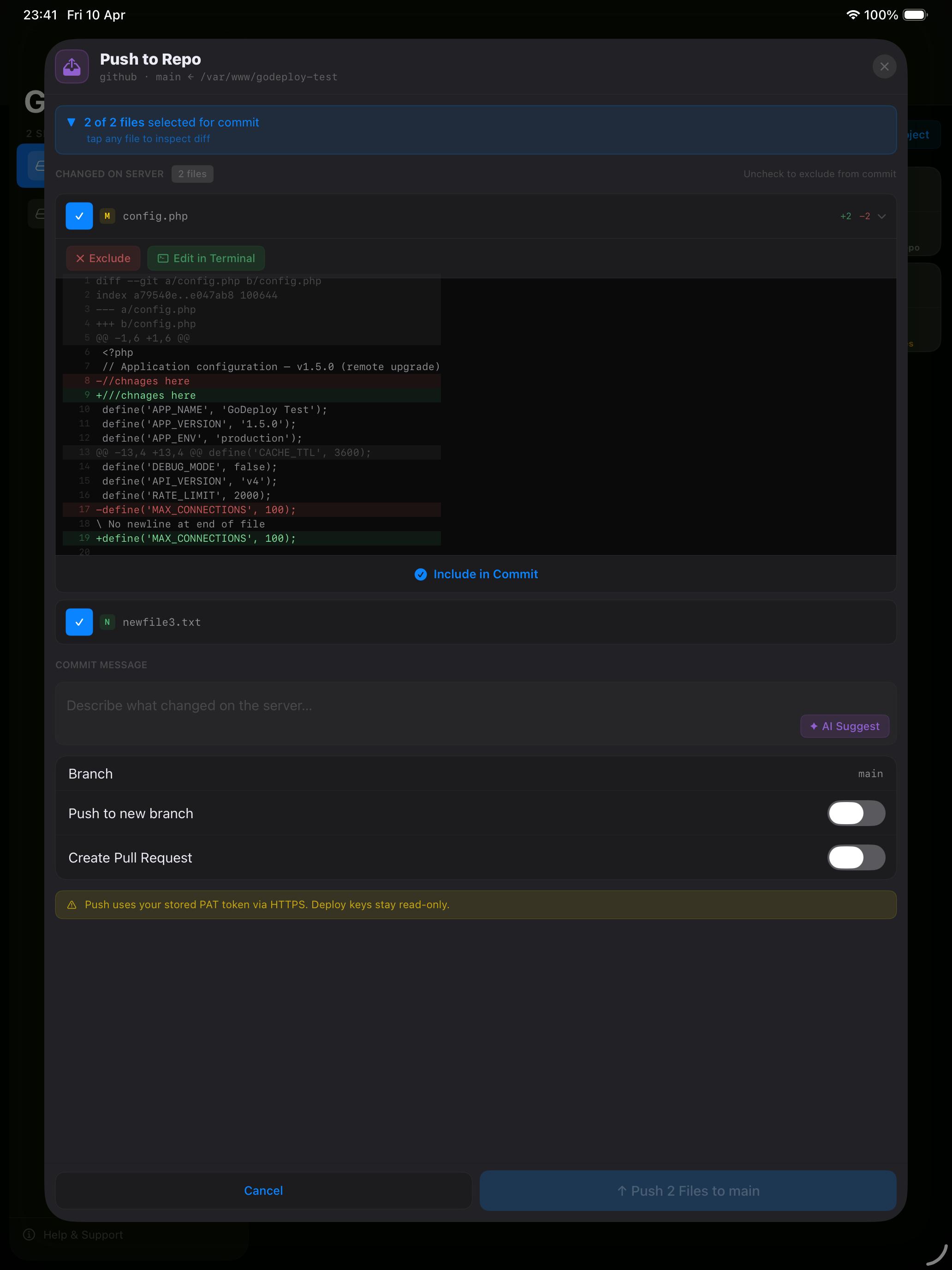
See every changed file with a diff. Sensitive files (.env, credentials) are automatically excluded with a warning.

3

Push back to repo

Write a commit message, choose the branch, and push. The same SSH deploy key that pulled your code also pushes it back — no API tokens, no passwords, no credential prompts. Your server changes are safely in your repository — nothing lost.

Multi-account by design

Juggling multiple clients? Each project has its own deploy key, scoped to that one repo via SSH host aliases. Switching between work, personal, and client repositories just works — no token juggling, no login state to manage.

Push to Repo view showing changed files and commit interface

Ready to deploy?

Start free with 3 servers, 3 projects, and 10 AI analyses.