Deploy code to your servers
from iPhone, iPad, and Mac

Connect to any Linux server over SSH. Pull from GitHub or Bitbucket. Run post-deploy commands. When things go wrong, AI resolves conflicts for you.
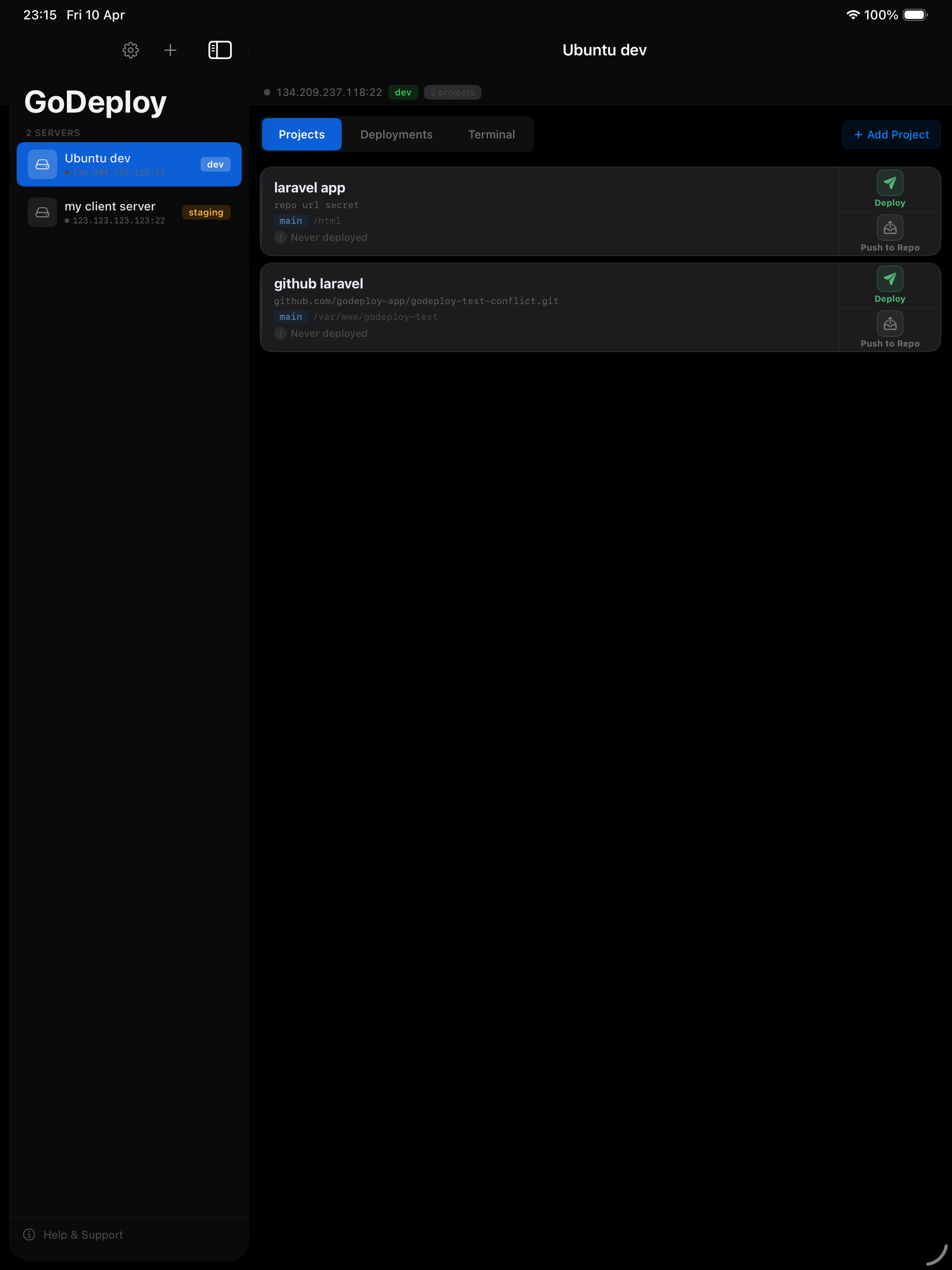
GoDeploy on iPad showing project list with deploy buttons and status

One app. Every Apple device.

Deploy from your desk or on the go. Same features on every platform.

Mac
iPad
iPhone

The complete deploy cycle

From Git repository to server and back. AI resolves failures automatically.

DEPLOY git pull · git clone · SSH deploy key repo → server ▶ ▶ via SSH tunnel PUSH TO REPO drift detect · git push · HTTPS + PAT server → repo ◀ ◀ write via PAT G GoDeploy Ubuntu dev · 134.209.237.118:22 Deploy Failed laravel-app main /var/www/app Connect0.4s Prepare server1.8s Pull latest code Post-deploy commands Complete 23:16:08CONFLICT in config.php 23:16:08✕ divergent branches ✕ Deployment failed ↺ Retry ✦ Resolve (AI) Force Pull ↑ Push to Repo · 2 changes on server Keychain · SwiftData · iCloud Sync AI · ClaudeConflict · Fix · Commit suggest Git RepositoryGitHub · Bitbucket · any host SSH Deploy Keyed25519 · read-only · auto-gen PAT TokenHTTPS push · write access Remote ServerSSH · password or key Deploy Path/var/www · folder browser Post-Deploycomposer · npm · artisan iCloud SyncServers + projects · Pro SSH TerminalPTY shell · live session

See the full step-by-step guide →

Merge conflicts?
AI resolves them.

When your deploy fails because branches diverged, GoDeploy shows you exactly which files changed on each side. Pick per file: keep server, keep remote, or let AI merge both versions intelligently.
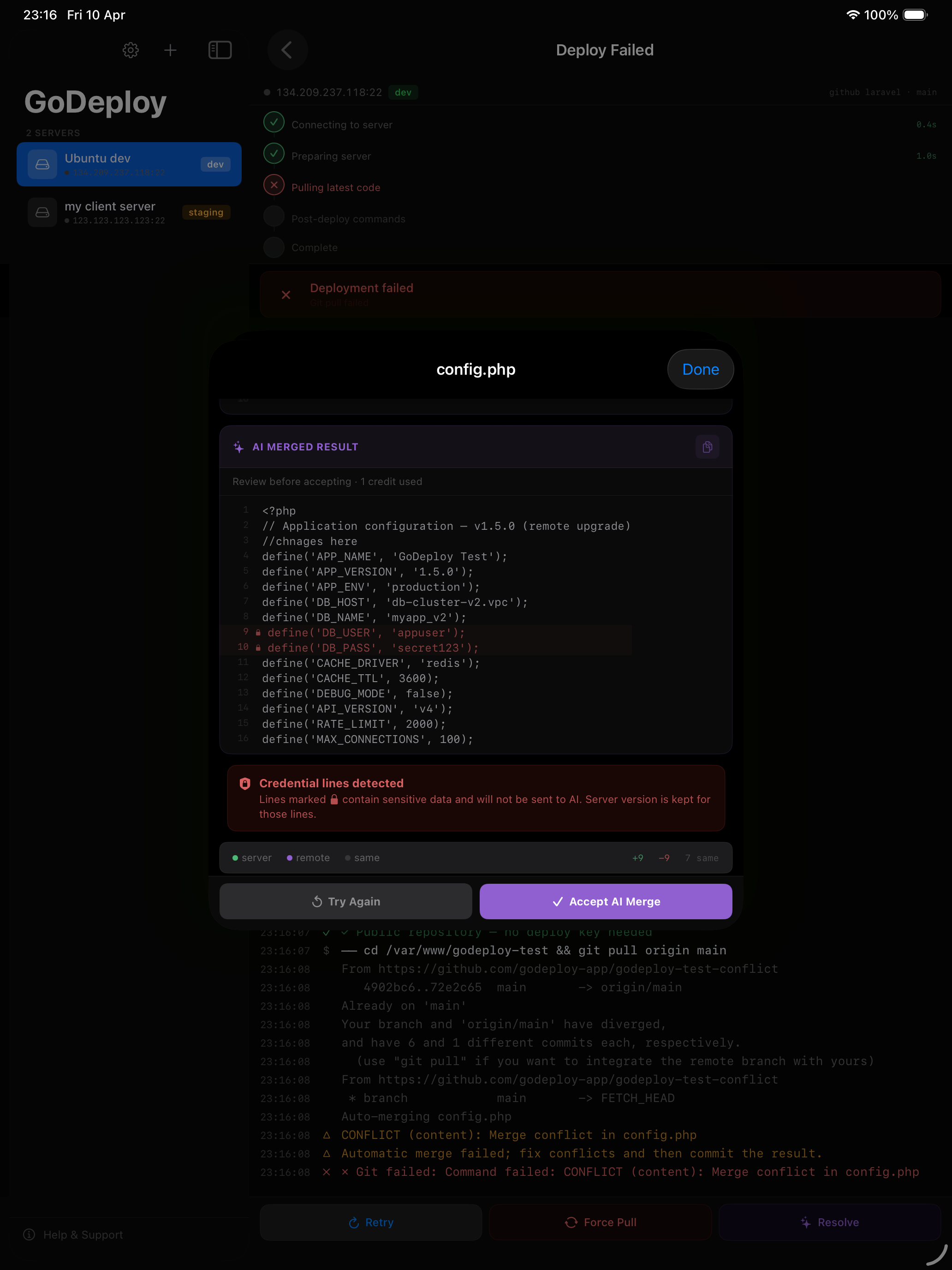
  • Per-file resolution — not all-or-nothing force pull
  • Side-by-side diff view with line-level highlighting
  • AI merge preserves server hotfixes alongside new features
  • One tap to apply all resolutions and redeploy
AI merge conflict resolution showing server vs remote file versions

Every failure gets
the right fix

GoDeploy detects the type of failure and routes you to the right tool. Merge conflict? Opens the conflict resolver. Permission error? AI diagnoses it and gives you the command to run.
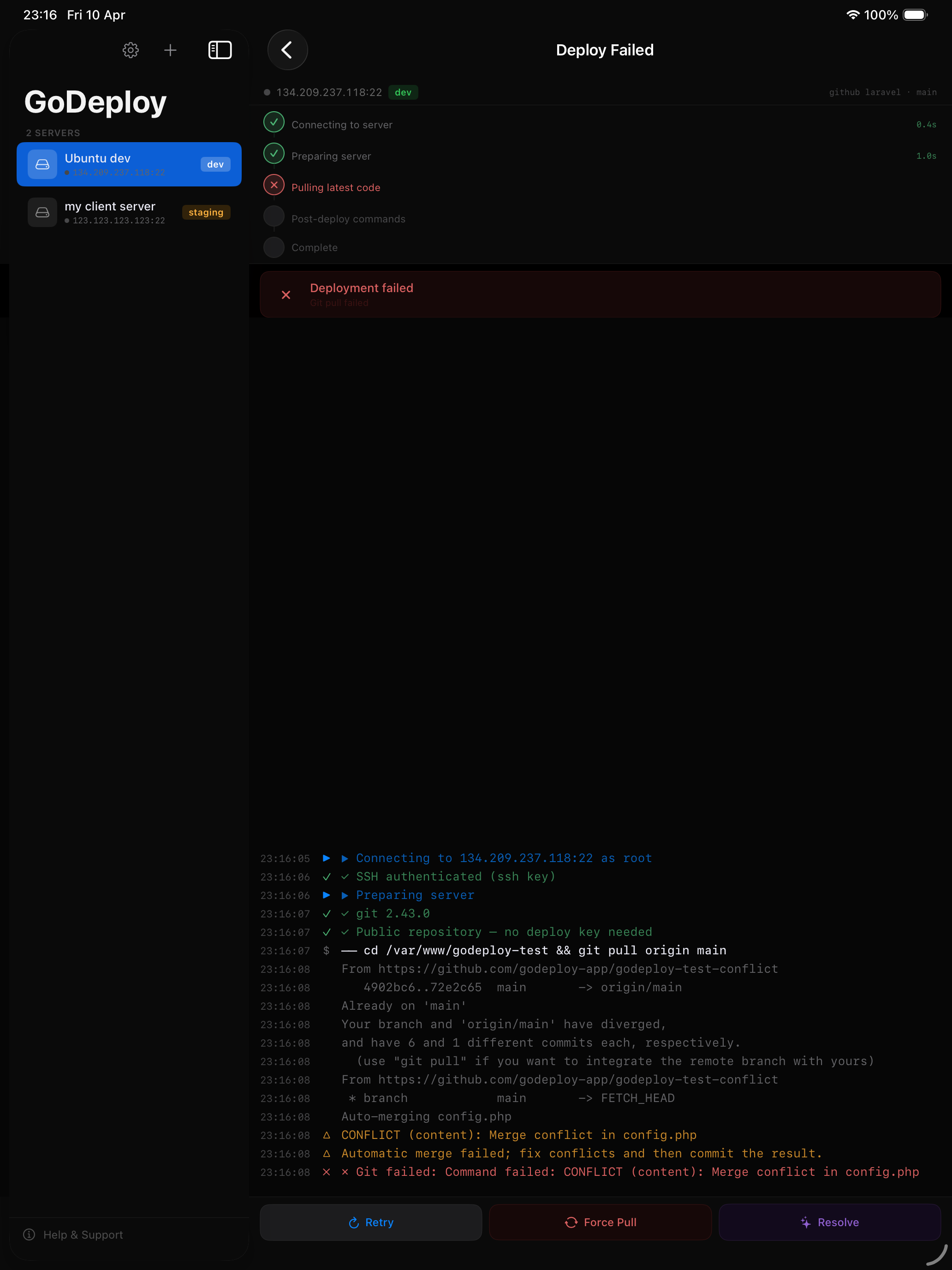
  • AI analysis of deploy logs with root cause diagnosis
  • Suggested fix commands you can copy and paste
  • Built-in SSH terminal to run fixes immediately
Deploy failure screen showing AI Fix analysis with suggested commands

Server changes back
to your repository

Someone edited files on the server? GoDeploy detects the drift, shows you what changed, and pushes it back to your Git repo — so nothing is ever lost.
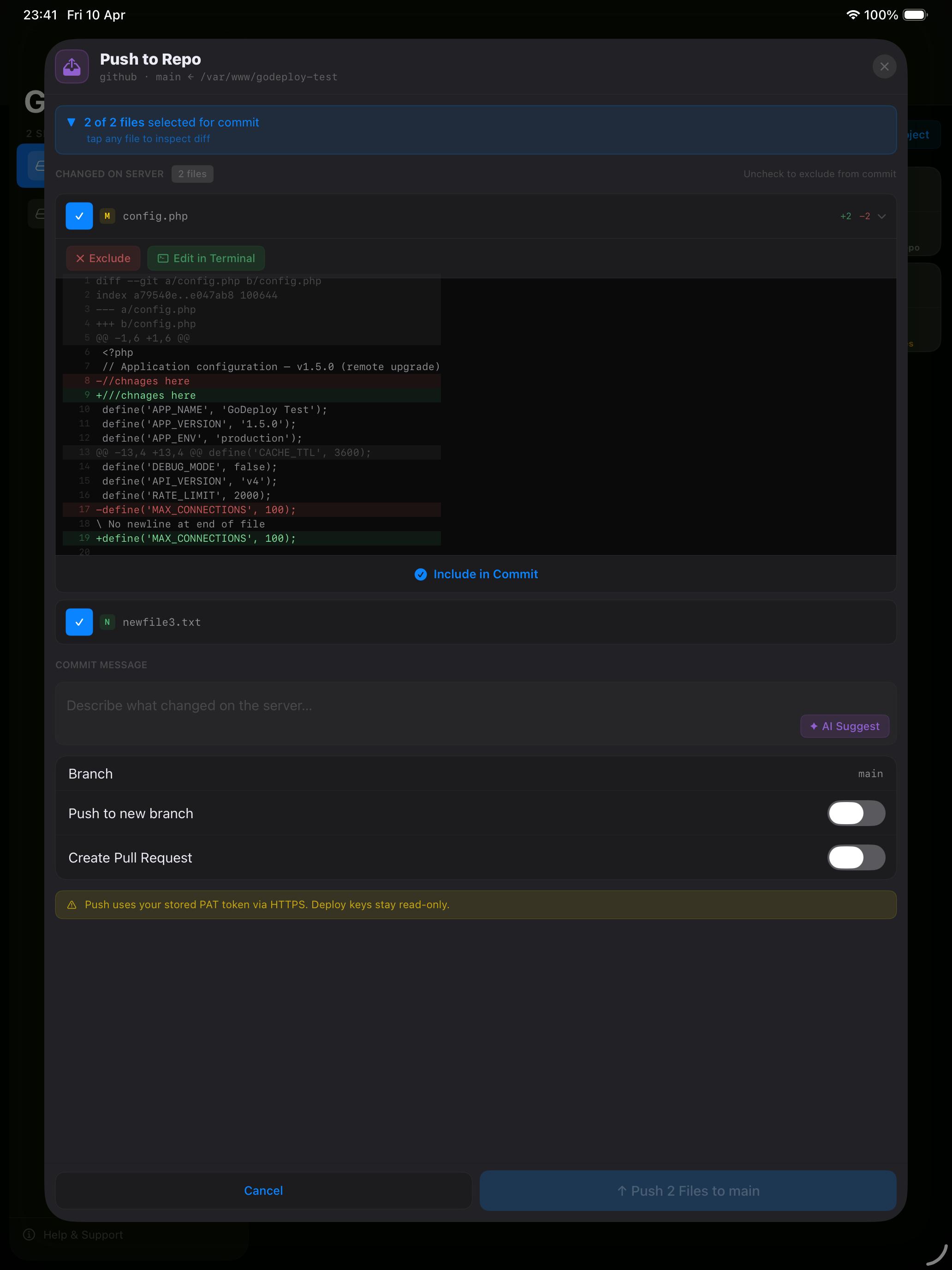
  • Automatic drift detection via git status
  • Review changed files before pushing
  • Sensitive files auto-excluded (.env, credentials)
Push to Repo view showing changed files and commit interface

Built for real deployments

🖥

SSH Connection

Password or SSH key auth. Auto-detects OS, installs git, scans tools. Parallel status polling across all servers.

🔑

Deploy Keys

Generate ed25519 keys on the server. Auto-registers with GitHub and Bitbucket APIs. Verify before first deploy.

AI Analysis

Failed deploy? AI reads the full log, diagnoses the root cause, and tells you exactly how to fix it.

💻

SSH Terminal

Full interactive terminal with PTY support. Auto-connects with your stored credentials. Colored bash prompt included.

iCloud Sync

Servers, projects, and SSH credentials sync across all your devices via iCloud. Encrypted, private, automatic.

🛡

Keychain Security

All credentials stored in the iOS/macOS Keychain. Never in the database. Never transmitted to our servers.

Simple, transparent pricing

Start free. Upgrade when you need more.

Free

$0
Free forever
  • Up to 3 servers
  • Up to 3 projects
  • 10 AI analyses included
  • Unlimited deploys
  • SSH terminal
Get Started

Both plans can purchase additional AI credit packs ($4.99 for 50 analyses).